Consignor Login

Consignor Login


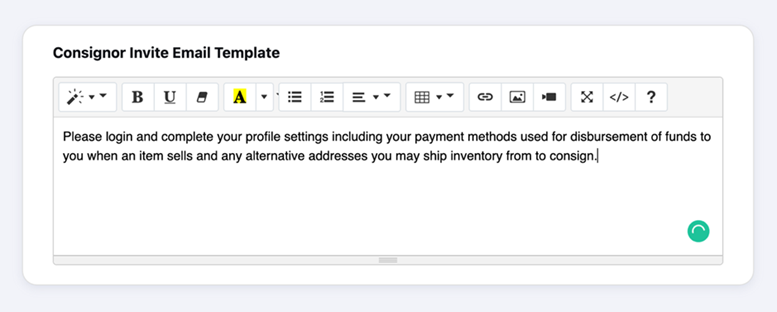
After sending your consignor a request to sign up, they will receive an invitation email which you can edit the messaging anytime under EMAIL & SMTP settings.

We recommend including your store logo and any information necessary for your consignors.

Below is a sample email:


Your Consignor Aravenda Portal will not include any ADMIN menu. Your Consignor will have the option to review its profile settings, outgoing inventory and items.


Having issues logging in to your consignor account?


You can reset the password by clicking “Forgot Password” and following the prompts to reset the password. 

    • Related Articles

    • Invite Consignor vs. Add New

      Adding Consignors + Export All Consignor Data To add a consignor, you can invite them to add their own details or add the consignor yourself. Note: Consignor's must have a unique phone number and email address or their information will be rejected in ...
    • How to Update or Change Consignor Email from Aravenda

      When updating the consignor's email from Aravenda, first update the email from consignor profile information. Note: you cannot register or assign 1 email to multiple consignors or employees ; the same rule applies when the same person is an employee ...
    • Employees Login

      Your Employee Aravenda Portal will include only 3 sections under the ADMIN menu. Having issues logging in to your employee account? You can reset the password by clicking “Forgot Password” and following the prompts to reset the password.
    • Store Owner Login

      Your Aravenda Portal will include the ADMIN section when using the store house account email. Having issues logging in to your account? You can reset the password by clicking “Forgot Password” and following the prompts to reset the password.
    • Consignor Portal - How to enter items